Document indexing in Closeout Pro helps organize uploaded documents into the correct sections of the closeout manual. When a document is added, it is categorized using details like Section Name and Section Type, which determine where it will appear in the final binder.
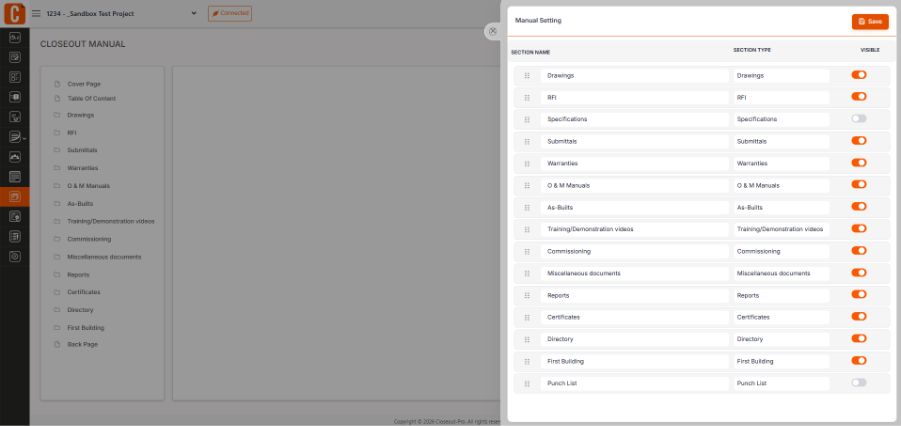
If changes are needed, you can go to the Closeout Manual, click the settings (cog) icon, and update the section details. You can also manage indexing through Project Settings → Manual Settings to control how documents are organized.
Was this article helpful?
That’s Great!
Thank you for your feedback
Sorry! We couldn't be helpful
Thank you for your feedback
Feedback sent
We appreciate your effort and will try to fix the article