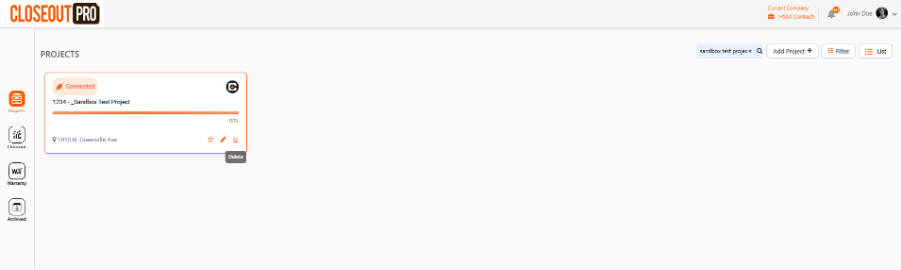
Go to the Projects section and find the project you want to delete. Click the Delete button next to it.
The project will be moved to the Archive section, where authorized users can restore it or permanently delete it.
Only users with the appropriate permissions, such as Admins or Project Managers, can perform this action.
Was this article helpful?
That’s Great!
Thank you for your feedback
Sorry! We couldn't be helpful
Thank you for your feedback
Feedback sent
We appreciate your effort and will try to fix the article