Yes, Closeout Pro allows you to create project templates to make setting up new projects faster and more consistent.
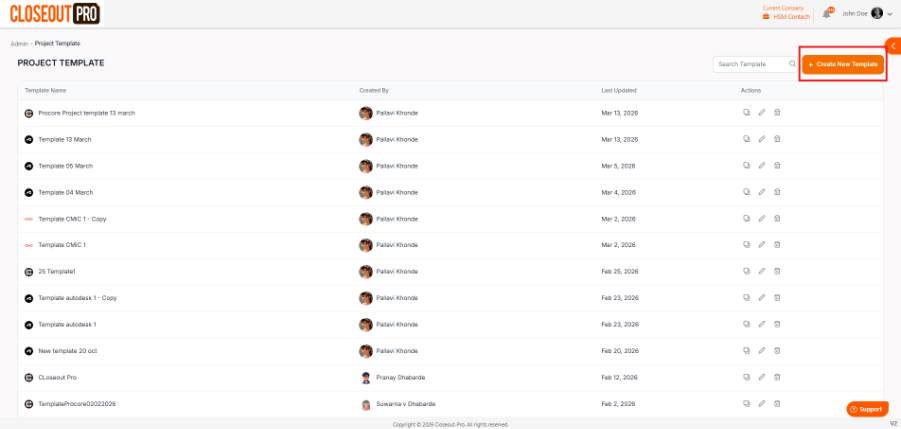
To create one, go to your profile menu → Admin → Project Templates, then click Create New Template. From there, you can configure modules like Closeout Items, Submittals, and Punch List, along with their mappings and settings.
Once saved, the template can be selected when creating a new project, and the system will automatically apply the predefined setup.
Was this article helpful?
That’s Great!
Thank you for your feedback
Sorry! We couldn't be helpful
Thank you for your feedback
Feedback sent
We appreciate your effort and will try to fix the article