Yes, but it depends on whether the closeout items are manual or synced.
For manual closeout items:
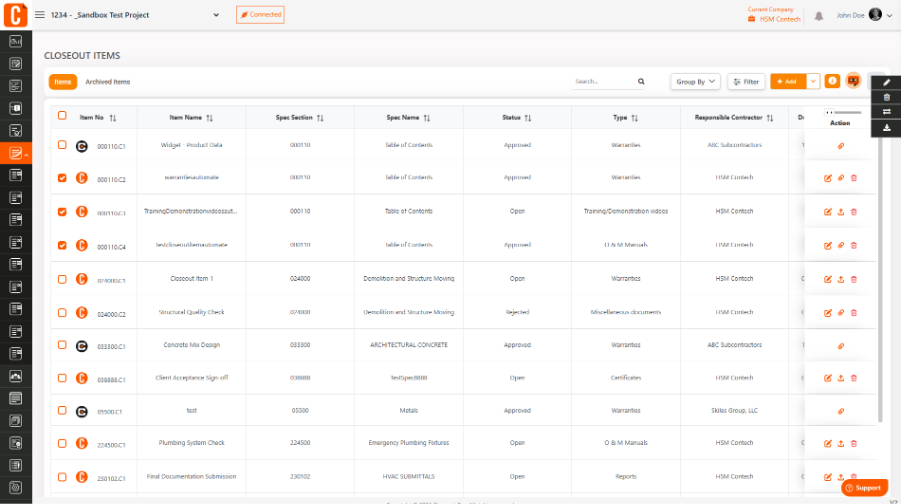
Go to the Closeout Items section
Select the item(s) you want to delete
Click Delete (you can remove one or multiple items)
For synced closeout items:
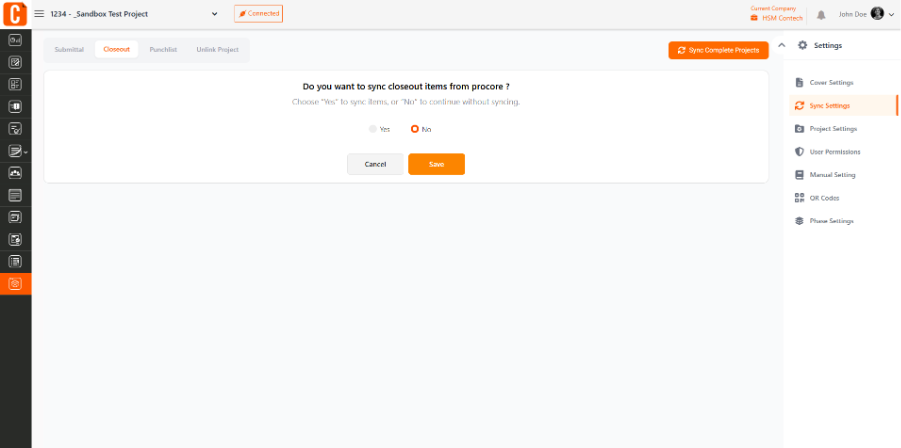
Go to Project Settings → Sync Settings → Closeout Items
Set Import Closeout Items to No
Run the sync again
- This will stop the items from being re-imported and update the log accordingly.
Was this article helpful?
That’s Great!
Thank you for your feedback
Sorry! We couldn't be helpful
Thank you for your feedback
Feedback sent
We appreciate your effort and will try to fix the article