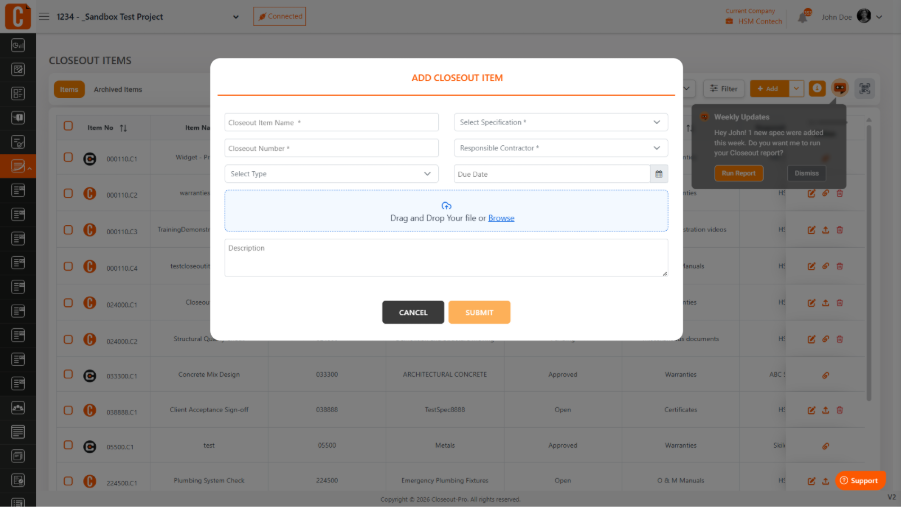
To add closeout items manually in Closeout Pro:
Go to your Project
Open the Closeout Items module
Click Add
Enter details like item name, description, assigned user or subcontractor, due date, and related specification
Click Save
Once saved, the item will appear in the list, where you can track its status, add attachments, and manage progress.
Was this article helpful?
That’s Great!
Thank you for your feedback
Sorry! We couldn't be helpful
Thank you for your feedback
Feedback sent
We appreciate your effort and will try to fix the article