To assign responsibility for a closeout item in Closeout Pro:
Go to your Project
Open the Closeout Items module
Create a new item or open an existing one
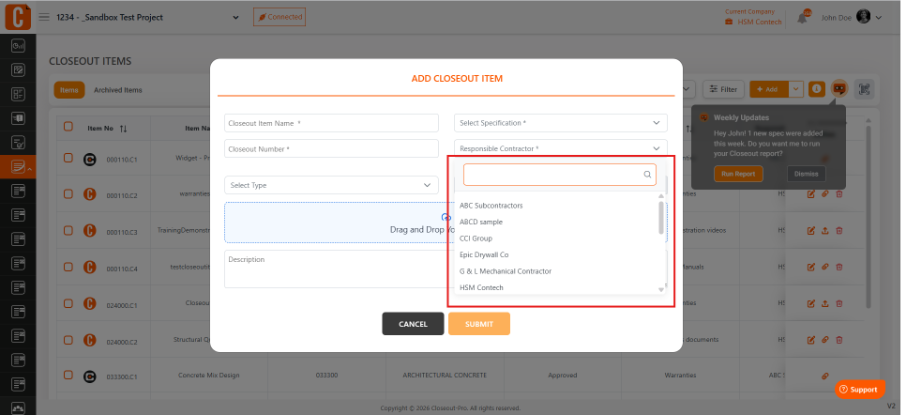
In the item details, select the Responsible Contractor
Choose the subcontractor
Click Save
Once assigned, the responsible user can view the item in their account and update its status.
Was this article helpful?
That’s Great!
Thank you for your feedback
Sorry! We couldn't be helpful
Thank you for your feedback
Feedback sent
We appreciate your effort and will try to fix the article