To create a Closeout Status Report in Closeout Pro:
Go to the Project.
Open the Closeout Items module.
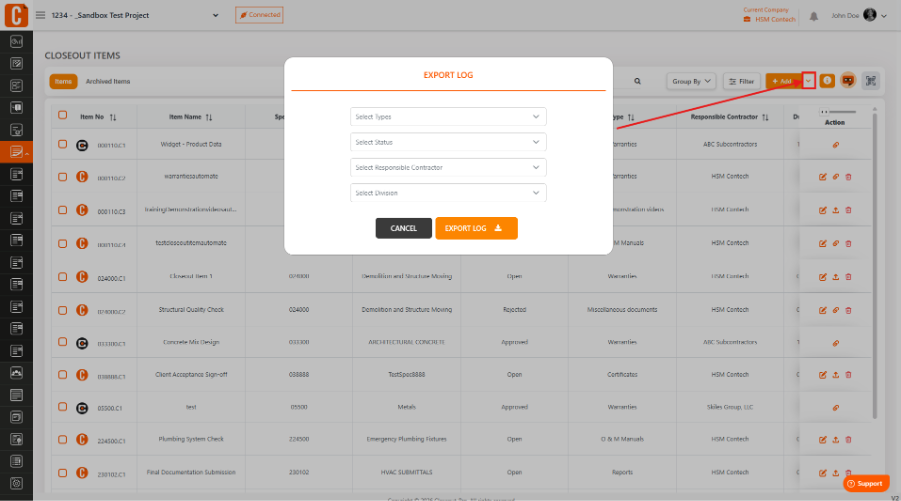
Click on the dropdown button next to the Add button.
From the dropdown menu, select Export.
While exporting, you can apply all available filters such as:
Status
Type
Division
Location
Responsible Contractor
This allows you to generate a customized Closeout Status Report based on your selected criteria.
Was this article helpful?
That’s Great!
Thank you for your feedback
Sorry! We couldn't be helpful
Thank you for your feedback
Feedback sent
We appreciate your effort and will try to fix the article