Go to the Closeout Items module and open the item you want to review.
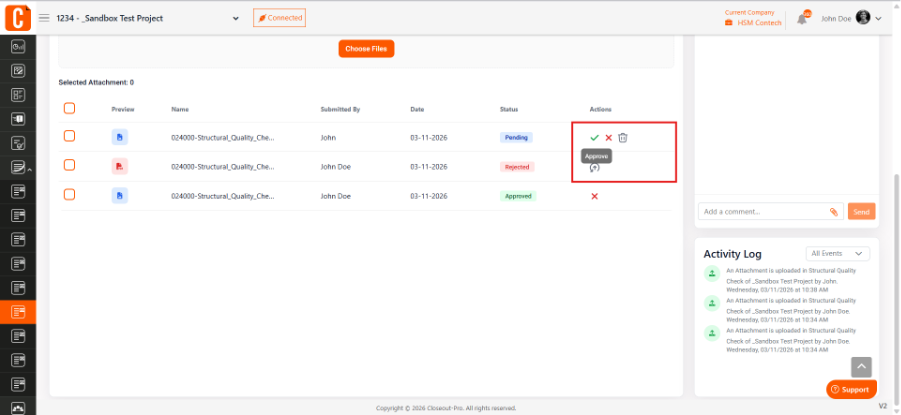
If documents have been submitted, check the Attachments & Uploads section. In the Pending Items list, use the Action column to Approve or Reject the uploaded files.
Once all required documents are approved, the item can be marked as Completed based on your workflow and permissions.
Was this article helpful?
That’s Great!
Thank you for your feedback
Sorry! We couldn't be helpful
Thank you for your feedback
Feedback sent
We appreciate your effort and will try to fix the article